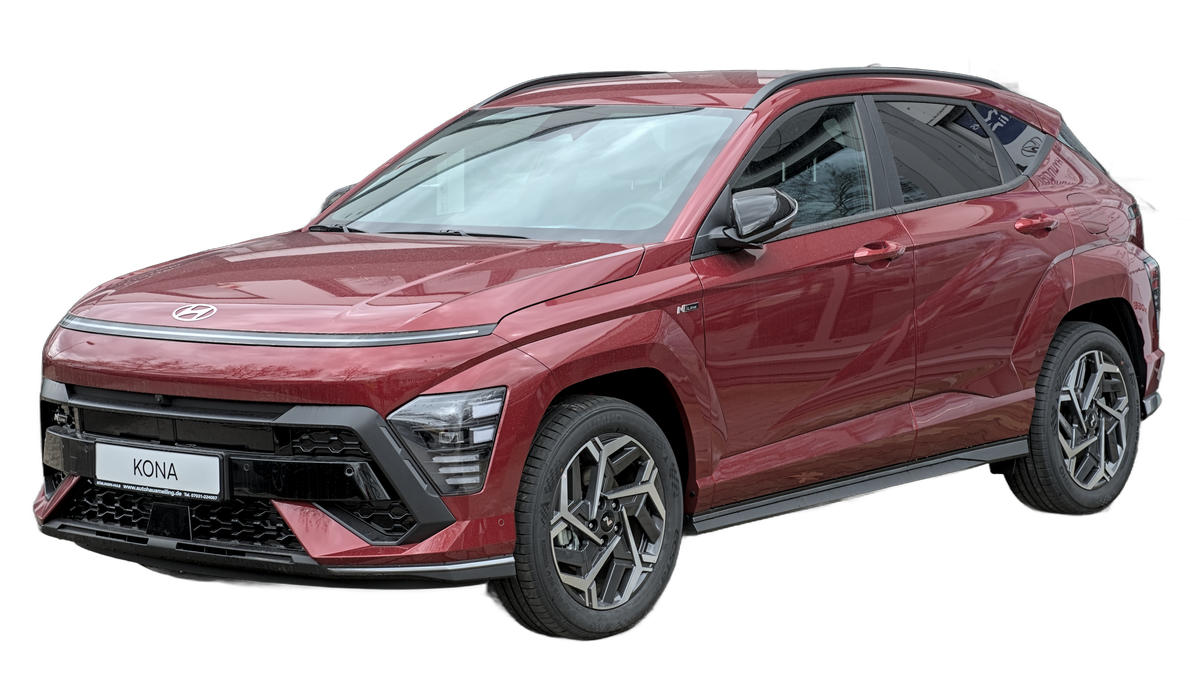
About Your Hyundai Kona Electric
A plain-English introduction for first-time EV owners
Think of the Kona Electric like a phone. Instead of a fuel tank, it carries a large rechargeable battery — and instead of a petrol pump, you recharge it at home overnight. The battery holds 39.2 units of electricity and gives you roughly 350 km of driving on a full charge.
Most people in Indian cities drive 40–80 km a day. That means you’d only need to charge every 4–6 days — not every day. And when you do charge, you simply plug in before you sleep and wake up to a full “tank.”
This guide walks you through every way to charge the Kona Electric at home, in plain language — no technical jargon required.
The Kona Electric’s built-in charging brain — think of it like the adapter brick on your laptop — automatically converts your home’s AC electricity into the DC electricity the battery needs. You never have to worry about this conversion yourself; it happens silently inside the car every time you plug in.
Option 1: Your Home Wall Socket
The simplest start — no installation needed
What is this? Your Kona Electric comes with a charging cable in the boot. One end plugs into the car; the other end plugs into a regular 16A wall socket — the same type your geyser or air conditioner uses. No special installation. No electrician. Just plug in and wait.
- Getting started on day one — zero extra cost
- Overnight charging when there’s no rush
- Light daily use (under 60 km/day)
- Villas and bungalows with garage sockets
- Apartments where your parking is far from any socket
- Tracking how much electricity you’ve used
- Shared parking (anyone can unplug your car)
- Daily drivers who need flexibility
“Think of it like plugging in your laptop each night. You don’t need a fancy dock — the basic cable works. The home socket is the perfect starting point for most first-time EV owners.”
Key InsightOption 2: Smart Wall-Mounted Home Charger (3.3 kW)
Same speed as a socket — but far smarter and safer
What is this? A dedicated unit fixed to your parking wall by an electrician. It charges at the same speed as the home socket, but adds built-in safety protection, app control, and a secure dedicated supply. Think of upgrading from a phone charger cable to a proper wireless charging dock — same speed, far better experience.
- Apartment owners who want a clean, permanent setup
- Tracking electricity usage per session
- Starting/stopping charging from your phone
- Preventing power theft in shared parking
- Those wanting faster charging speed
- Temporary setups (requires wall installation)
“This is an infrastructure upgrade, not a speed upgrade. The benefit isn’t quicker charging — it’s a cleaner, safer, app-controlled charging routine that serves you better month after month.”
Key InsightWhen you charge from a plain wall socket, the electricity usage is mixed in with your whole home’s bill — making it hard to know your exact EV running cost. A smart wallbox tracks only the energy used for your car, letting you know precisely: “This month, charging the Kona cost me ₹380.”
Option 3: Faster Wall-Mounted Home Charger (7.4 kW)
Cut charging time in half — the best home setup for daily drivers
What is this? Same idea as the 3.3 kW charger above, but roughly twice as fast. The Kona Electric’s built-in charging brain can handle up to 7.2 kW, so this charger extracts the maximum speed the car can take at home. A full charge now takes about 5½ hours instead of 12 — meaning you could plug in after dinner at 8 pm and be fully charged by 1:30 am.
- Daily drivers covering 100+ km per day
- Families sharing one car with unpredictable schedules
- Late-night arrivals who need a quick top-up
- The best all-round home charging experience
- Those who drive lightly and already find 12-hour overnight charging sufficient
- Homes where the electrical wiring can’t support a 32A single-phase load (your electrician can confirm)
“For most Kona Electric owners in India, this is the ‘upgrade and forget’ choice. Once installed, you stop thinking about charging at all — you just plug in and wake up to a full car.”
Key InsightOption 4: Long-Reach Charging Cable
When your parking spot is far from any socket
What is this? If your parking bay is 20–40 metres from the nearest socket — common in older apartment blocks — a regular charger cable simply won’t reach. This is a heavy-duty, EV-safe extension cable that bridges that distance. It doesn’t make charging faster; it just solves the distance problem so you can charge at all.
- Apartments where the parking is far from any power point
- Carrying in the car for charging at a relative’s home
- Temporary setups while awaiting wallbox installation
- A permanent primary charging solution (a wallbox is better long-term)
- Charging speed — this doesn’t add power, only reach
“Think of this as a bridge, not a destination. It removes the distance barrier so you can charge at home at all — and once the apartment society approves a wallbox, you graduate to a permanent setup.”
Key InsightIn India, most apartment societies are now required to allow EV charging point installations in parking areas under the Ministry of Housing guidelines. If your society has been refusing, that’s worth revisiting — a permanent wallbox is almost always better than a long-reach cable as your daily setup.
Side-by-Side Comparison
All four options at a glance
📍 Which charger is right for you?
Start with the included cable. Plug into your home socket. Zero cost. A great way to test home charging before investing in hardware.
Move to the next question ↓
Get the long-reach cable first. Start charging at home while you arrange for a wallbox installation with your building society.
Move to the next question ↓
Choose the 7.4 kW wallbox. Fastest home charging, halves your wait time. The recommended upgrade for daily drivers.
The 3.3 kW wallbox is perfect. Same overnight speed as a socket, but with app control, security, and energy monitoring built in.
Charging Time Calculator
How long will it take to charge from your current level to your target?
Kona Electric Charging Calculator
My Recommendation
A practical starting point for first-time Kona Electric owners
Most first-time Kona Electric owners in India follow this natural path: start with the included cable and home socket (free, day one), then upgrade to a dedicated wallbox within 3–6 months once they’ve experienced the car. By then, they know exactly what they need.
There is no wrong answer here. Every option below works. The best charger is simply the one that fits your parking situation and daily routine.
- Just starting out? Use the included cable with your home socket. Free, works overnight, zero friction.
- Drive 100+ km daily? Invest in the 7.4 kW wallbox. It halves your charging window and is the best long-term home setup for this car.
- Apartment with distant parking? The long-reach cable solves the immediate problem. Push your building society for permanent wallbox approval in parallel.
- Want security and monitoring? Either wallbox option locks your charging session and tracks energy usage per session — something the plain socket cannot do.